

Every test prep coaching center has a number it doesn't like to talk about: how many students enrol, pay the first instalment, and then quietly disappear before test day. Industry chatter puts the drop-off rate for IELTS, PTE and TOEFL batches anywhere between 25% and 40% across a 12-week cycle — and most owners only learn a student has left when the second instalment doesn't land in the bank.
By then the damage is done. The seat is gone, the lifetime value is gone, and — worst of all — the next prospective student your alumnus would have referred is also gone. The single biggest leverage point for a coaching centre owner in 2026 is not marketing spend. It's catching the at-risk student two weeks before they quit and intervening while a save is still possible.
That's exactly the problem an at-risk student detection system solves. Below is how AI-powered detection works, the exact signals that matter, the playbook for intervening at each risk tier, and how PrepareBuddy's coaching centre platform automates the whole loop.
Why Coaching Centers Lose Students They Could Have Saved
Most centres run on instinct. The teacher notices a student missing class three weeks in a row, mentions it to the front desk, the front desk calls, and the student doesn't pick up. That's the classic intervention loop — and it fails for three structural reasons.
First, it's lagging. By the time a teacher notices in week 3, the student has usually been disengaged since week 1. Second, it's binary — a student is either "in class" or "not in class," with no visibility into how they're performing in self-study. Third, it doesn't scale: a coaching centre with 200 active students cannot manually track engagement for each one.
The result is a brutal asymmetry. The student who is silently struggling — opening the platform once a week, scoring below 40% on practice tests, completing less than a third of assigned work — is exactly the student who needs an intervention call, and exactly the student no human is going to spot in time.
The Three Signals That Actually Predict Drop-Out
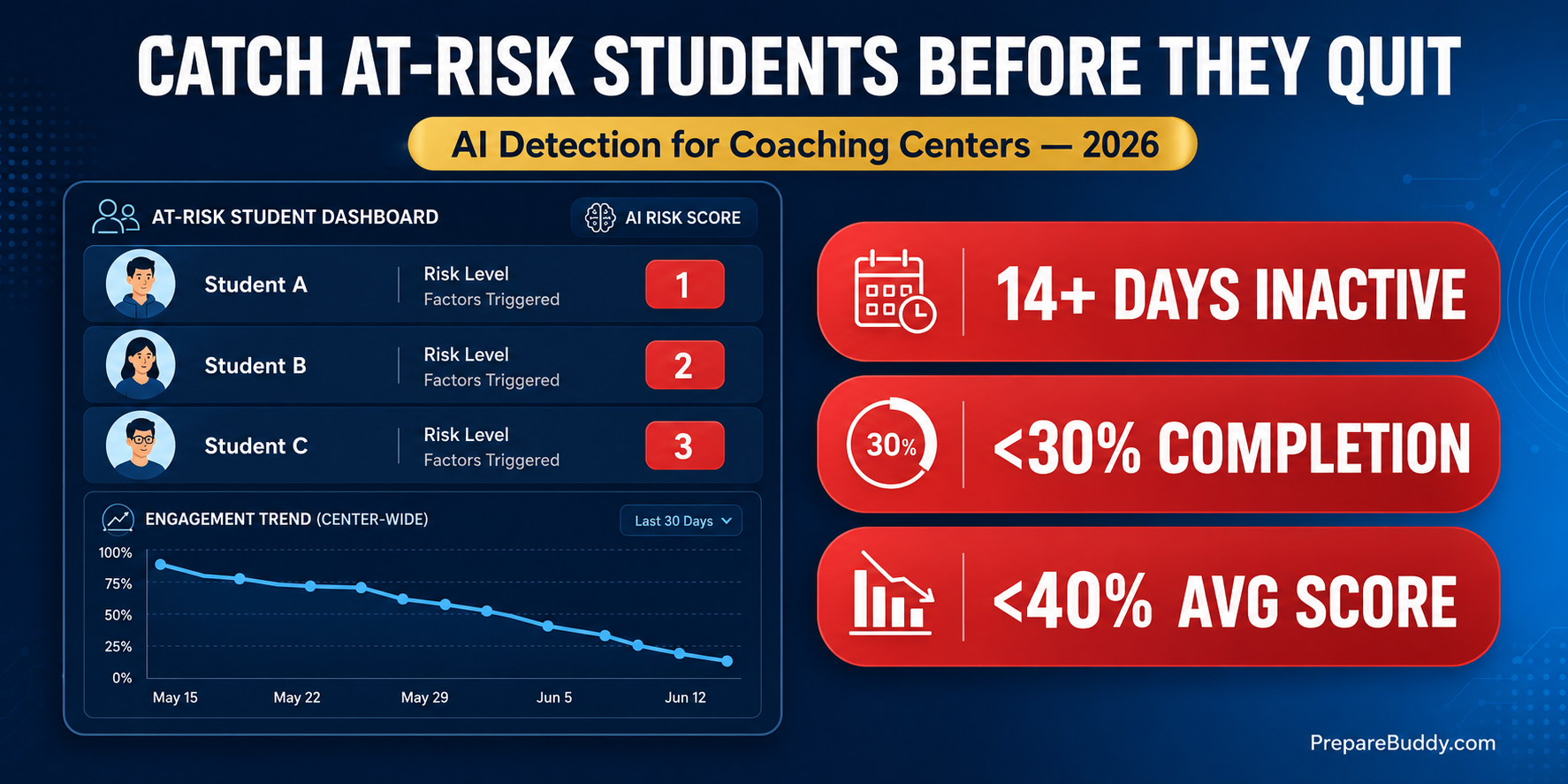
PrepareBuddy's at-risk detection engine runs continuously across every enrolled student and flags anyone matching at least one of three data-driven criteria. These criteria were tuned across 200+ institutions and 50,000+ students prepared on the platform — they're not theoretical thresholds, they're the cut-offs where save-rates start collapsing.
| Risk Signal | Threshold | What It Tells You |
|---|---|---|
| Inactivity | No exam activity in 14+ days | The student has mentally checked out. The window to re-engage is narrow. |
| Low completion | Less than 30% of assigned exams completed (minimum 3 assigned) | The student is enrolled but not doing the work. Often a workload or pacing problem. |
| Low scores | Average score below 40% (minimum 2 completed) | The student is doing the work but isn't getting it. Confidence collapse is imminent. |
A student hitting one of these signals is at-risk. A student hitting two or more is almost certainly going to churn unless something changes in the next 7 days. PrepareBuddy's admin dashboard surfaces both — students are returned sorted by number of risk factors triggered, so the most urgent saves rise to the top automatically.
What an AI-Powered Detection Dashboard Actually Looks Like
For an owner running a coaching centre with multiple batches, the at-risk dashboard becomes the single most important screen in the platform. PrepareBuddy's Analytics module surfaces at-risk students at the very top of both the Admin Analytics Dashboard and the Super Admin Dashboard, above every other metric.
Each at-risk student appears with a risk badge (1, 2, or 3 factors triggered), the specific signals that fired, and a direct link to their full overview — last login, recent test scores, completion rate against assigned work, and a 90-day score trend chart. The dashboard returns up to 15 students at a time, sorted by severity, so a busy owner can work through the entire save-queue in 20 minutes a day.
For multi-branch chains, the Super Admin Dashboard aggregates at-risk students across parent and child organisations — one screen, all branches, ranked by urgency.
The Intervention Playbook by Risk Tier
Detection without intervention is theatre. Once a student is flagged, the centre needs a tiered response that fits the failure mode. Here's the playbook PrepareBuddy customers use.
| Risk Pattern | Likely Root Cause | Recommended Intervention |
|---|---|---|
| Inactivity only (14+ days) | Life event, lost motivation, schedule conflict | Personal call within 48 hours. Reset study plan. Offer a 1-week "re-entry" mini-batch. |
| Low completion only (<30%) | Workload too high, weak time management | Halve the weekly load, switch to PrepareBuddy's adaptive study plan, add weekly 1:1 check-in. |
| Low scores only (<40%) | Conceptual gap, wrong difficulty level | Diagnostic test → root-cause section → targeted Voice AI speaking and AI writing practice. |
| Inactivity + low completion | Disengaged, considering a refund | Owner-level outreach. Offer a free 30-minute re-orientation. Reset expectations. |
| All three signals | Wrong fit, wrong test, or wrong batch | Honest conversation. Move to a different test (e.g., IELTS → Duolingo), different batch, or refund cleanly. |
The last row matters. The goal of at-risk detection is not to clutch every student into staying — it's to make the right decision quickly. A clean refund and a happy ex-student who refers a friend is worth more than an unhappy student dragged across the finish line.
How PrepareBuddy Closes the Loop
Detection is the first step; the platform also automates the response. Here's how the full retention loop works for a coaching centre running PrepareBuddy as their white-label test prep platform:
- Continuous monitoring. Every student's activity, completion and average score is recalculated daily via middleware — no cron jobs to break, no manual reports to pull. Analytics stays current automatically.
- Surface in admin dashboard. At-risk students appear at the top of the admin analytics view with risk badges and direct links to their full overview.
- Diagnose with AI. Each at-risk student's overview shows their 90-day score trend, recent activity, weakest sections, and exam-by-exam completion — enough to walk into the intervention call already knowing what's wrong.
- Reset the plan. PrepareBuddy's AI Study Plans regenerate based on current performance — heavier on weak areas, lighter on strong ones, paced for the student's remaining timeline.
- Targeted practice. Low-score students are routed to Voice AI speaking practice (30+ English accents, real-time pronunciation scoring, 48-emotion detection) or AI writing analysis for measurable improvement before the next session.
- Re-measure in 7 days. If the student moves off the at-risk list, the intervention worked. If they don't, escalate.
Why This Pays Back Faster Than New-Student Marketing
Customer-acquisition arithmetic for a typical coaching centre is unforgiving. Acquiring a new IELTS/PTE student costs anywhere from ₹2,000 to ₹8,000 in marketing spend. Saving an existing student costs the time of a 15-minute phone call.
If at-risk detection helps a centre save just 1 student in 10 from churning — and most centres save closer to 1 in 3 once the loop is running — the ROI is immediate. PrepareBuddy customers report 300% ROI within 18 months across the full platform; retention improvements are the fastest-moving piece of that number.
| Scenario | 100-Student Batch |
|---|---|
| Baseline drop-out rate | 30 students lost over 12 weeks |
| With at-risk detection + intervention (10% save rate) | 3 students saved → recovered fee revenue + reduced refund risk |
| With mature loop (30% save rate, after 2 batches) | 9 students saved → fee revenue + referrals + Google reviews |
What Multi-Branch Owners Should Look For
If you run a chain or franchise, at-risk detection needs to work across branches without each branch manager having to log in separately. PrepareBuddy's Super Admin Dashboard aggregates at-risk students across parent and child organisations — total enrolments, active, completed, pending and expired counts per branch, plus the at-risk list rolled up across all of them. One screen, every branch, ranked by urgency.
Combined with per-student AI feature controls (you can toggle AI tutor, study plans, and exam generation per enrolment), multi-branch owners get the visibility of a head-office analytics team without hiring one.
Getting Started
If you're running a coaching centre and you don't currently have visibility into which students are at risk, that gap is costing real money every batch. The fastest path to fixing it is a 30-minute demo where we walk through your current batch data and show what an at-risk dashboard would look like for your students.
Schedule a demo to see the at-risk detection dashboard with sample data, or sign up for the first month free — no credit card, no lock-in — and load your roster to see your own at-risk list within 48 hours of deployment.


Join the Discussion